Category: WordPress Development
Tags:AI-powered development, rapid application development, WordPress automation, AI tools for developers, Claude AI, prototyping tools, automated WordPress development, AI framework for developers, production-ready apps, code quality best practices,
Introduction: Why Speed Matters in Modern Development
In today’s fast-paced digital landscape, the ability to transform an idea into a functional prototype within hours is no longer a luxury—it’s a necessity. Traditional development cycles that span weeks or months are becoming obsolete, especially in the WordPress ecosystem where flexibility and speed are paramount. AI-powered tools like Claude are revolutionizing the way developers approach rapid application development (RAD), enabling them to bypass tedious manual coding and focus on innovation. This guide introduces a structured 4-step framework designed to help developers create production-ready applications efficiently while maintaining high code quality. Whether you’re a freelancer, agency owner, or in-house developer, mastering this framework will give you a competitive edge in delivering solutions faster than ever before.
#AI #SoftwareEngineering #RapidPrototyping #ProductDevelopment #BuildInPublic #Softved
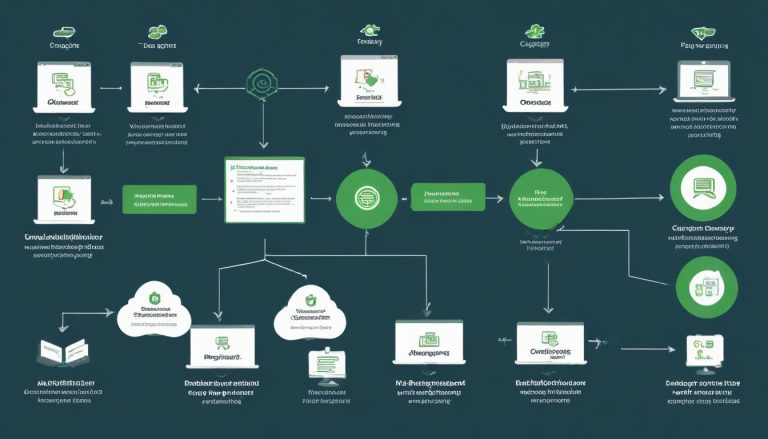
The 4-Step AI-Powered Framework Explained
- Step 1: Blueprint – Define Your Vision with AI Precision
- Step 2: Scaffold – Generate a Solid Foundation Instantly
- Step 3: Build – Develop Features with AI Assistance
- Step 4: Polish – Refine and Optimize for Production
Step 1: Blueprint – Define Your Vision with AI Precision
The foundation of any successful application begins with a clear blueprint. In this phase, AI tools like Claude act as your strategic partner, helping you articulate your project’s goals, features, and technical requirements with precision. Start by describing your application’s purpose in simple terms—whether it’s an e-commerce plugin, a custom dashboard, or a membership site. For example, instead of vague requests like ‘I need a WordPress plugin,’ specify details such as ‘A plugin that allows users to schedule appointments with real-time calendar sync and payment integration.’ AI can then generate a detailed project scope, including user stories, technical specifications, and even potential challenges. This structured approach ensures that every stakeholder is aligned and reduces the risk of scope creep later in the development process.
- Use AI to generate user personas and journey maps
- Define core features and technical requirements
- Prioritize functionalities based on user needs
- Create a project roadmap with timelines and milestones
Step 2: Scaffold – Generate a Solid Foundation Instantly
Once your blueprint is finalized, the next step is to create a robust foundation for your application. AI tools excel at generating boilerplate code, setting up databases, and configuring essential frameworks. For WordPress developers, this means AI can automatically generate plugin structures, theme files, and even database schemas tailored to your project’s requirements. For instance, if you’re building a custom plugin, AI can scaffold the entire directory structure, including necessary files like `main.php`, `assets/`, and `includes/` folders. Additionally, AI can integrate plugins like Advanced Custom Fields (ACF) or WooCommerce hooks directly into your scaffold, saving hours of manual setup. The result is a clean, modular foundation that adheres to WordPress coding standards from day one.
- Generate WordPress plugin/theme directory structures
- Set up database tables and configurations
- Integrate essential plugins (e.g., ACF, WooCommerce) automatically
- Ensure compliance with WordPress coding standards
Step 3: Build – Develop Features with AI Assistance
With a solid foundation in place, the build phase focuses on developing features efficiently. AI tools like Claude can generate functional code snippets for common WordPress tasks, such as creating custom post types, implementing REST API endpoints, or building dynamic front-end components. For example, if you need a custom product display for WooCommerce, AI can generate the necessary PHP template files, jQuery scripts, and CSS styles in minutes. Beyond code generation, AI can also assist in debugging, suggesting optimizations, and even refactoring existing code for better performance. The key here is to use AI as a collaborative tool—review the generated code, test it thoroughly, and make adjustments as needed. This hybrid approach ensures that you maintain control over the development process while leveraging AI’s speed and accuracy.
- Generate custom post types, taxonomies, and meta fields
- Create REST API endpoints for dynamic data fetching
- Develop front-end components with React or jQuery
- Implement security measures like nonce validation and sanitization
- Debug and optimize generated code for performance
Step 4: Polish – Refine and Optimize for Production
The final step is all about refinement. Even with AI-generated code, your prototype will likely require tweaks to meet production standards. This phase involves testing for functionality, security, and performance, as well as adding the finishing touches to ensure a seamless user experience. AI tools can assist in identifying potential issues, such as broken links, slow-loading assets, or security vulnerabilities. For instance, AI can scan your codebase for common WordPress security flaws like SQL injection risks or cross-site scripting (XSS) vulnerabilities. Additionally, AI can help generate documentation, set up deployment scripts, and configure essential plugins like caching or SEO tools. The goal is to deliver a polished, production-ready application that meets both technical and user experience standards.
- Conduct thorough testing for functionality and usability
- Optimize database queries and front-end assets
- Implement security best practices (e.g., SSL, CSRF protection)
- Generate comprehensive documentation for future maintenance
- Set up deployment pipelines for seamless updates
Best Practices for Maximizing AI in WordPress Development
While AI tools offer incredible speed and efficiency, they are not a substitute for human expertise. To get the most out of AI-powered development, follow these best practices: First, always review and test AI-generated code to ensure it meets your project’s requirements. Second, use AI as a collaborative tool—combine its output with your own insights to create high-quality solutions. Third, document your processes and decisions to maintain clarity and consistency, especially when working in teams. Finally, stay updated with the latest AI advancements and WordPress updates to continuously improve your workflow.
- Always review and customize AI-generated code
- Combine AI output with your expertise for better results
- Document processes for team collaboration and future reference
- Stay updated with AI tools and WordPress best practices
- Balance speed with quality to avoid technical debt
Real-World Examples: How AI Accelerated WordPress Projects
To illustrate the power of this framework, consider a real-world example: a development agency tasked with building a custom membership plugin for a client. Using the 4-step framework, they started with a blueprint that outlined user roles, subscription tiers, and payment gateways. The AI scaffolded the plugin structure, including database tables for user profiles and membership plans. During the build phase, AI generated the code for login forms, subscription management, and email notifications. Finally, in the polish phase, the team optimized performance, added security measures, and deployed the plugin in under 48 hours. This rapid turnaround not only impressed the client but also allowed the agency to take on more projects efficiently.
- Case study: Custom membership plugin built in 48 hours
- Case study: E-commerce dashboard with AI-generated features
- Case study: Event management system with real-time updates
Common Pitfalls and How to Avoid Them
While AI-powered development offers immense benefits, it’s not without challenges. One common pitfall is over-reliance on AI-generated code without proper review, which can lead to bugs or security vulnerabilities. To avoid this, always test AI-generated code thoroughly and make adjustments as needed. Another challenge is scope creep—AI can generate endless features if not properly constrained. Stick to your blueprint and prioritize functionalities based on user needs. Lastly, ensure that your AI tool is compatible with your WordPress environment and plugins to avoid integration issues.
- Avoid over-reliance on AI without human review
- Stick to the predefined blueprint to prevent scope creep
- Ensure AI tool compatibility with WordPress plugins
- Test AI-generated code for security and performance
Tools and Resources to Get Started
To implement this framework, you’ll need a few essential tools. Start with an AI tool like Claude, which excels at generating and refining code. For WordPress-specific tasks, plugins like Code Snippets, WP-CLI, and Advanced Custom Fields are invaluable. Additionally, consider using AI-powered IDE plugins like GitHub Copilot for real-time code suggestions. For project management, tools like Trello or Asana can help track progress through each phase of the framework. Lastly, leverage WordPress’s built-in debugging tools and plugins like Query Monitor to ensure your code is optimized and error-free.
- AI tools: Claude, GitHub Copilot, Tabnine
- WordPress plugins: Code Snippets, WP-CLI, ACF
- Project management: Trello, Asana, Notion
- Debugging tools: Query Monitor, Debug Bar
- IDEs: VS Code with WordPress extensions
Conclusion: Unlocking the Future of WordPress Development
The AI-powered 4-step framework is transforming the way developers approach WordPress development, offering a powerful blend of speed, efficiency, and quality. By leveraging tools like Claude to streamline the blueprint, scaffold, build, and polish phases, you can turn ideas into production-ready applications in hours rather than weeks. This approach not only accelerates your workflow but also frees you to focus on innovation and creativity. As AI tools continue to evolve, their integration into WordPress development will become even more seamless, making rapid application development the new standard. Start experimenting with this framework today and experience the future of WordPress development firsthand.