Category: Artificial Intelligence
Tags:AI workflows, agentic systems, workflow persistence, AI reliability, LangGraph 2.0, Anthropic agents, checkpoint-resume architectures, deterministic replay, AI compliance, AI cost attribution, AI auditing, ephemeral AI runs, versionable workflows, AI infrastructure, AI system reliability,
Why Agentic Workflow Persistence is the Backbone of Reliable AI Systems in 2026
In the rapidly evolving landscape of artificial intelligence, agentic systems are becoming increasingly complex, handling multi-step tasks with autonomy and adaptability. However, their ephemeral nature—where workflows vanish after execution—poses significant challenges for reliability, debugging, and compliance. Agentic workflow persistence addresses this by ensuring that every step of an AI agent’s journey is captured, versioned, and replayable, transforming transient processes into durable, auditable assets. By 2026, this infrastructure will be non-negotiable for enterprises deploying mission-critical AI systems, as it enables fault tolerance, regulatory adherence, and cost optimization. Without persistence, AI workflows remain fragile, prone to failures, and impossible to replicate, undermining their potential to drive innovation.
The Core Components of Workflow Persistence Architecture
- Checkpoint-Resume Architectures: These systems periodically save the state of an AI agent’s workflow, allowing it to resume from the last known stable state if interrupted or failed. This is critical for long-running tasks where progress must not be lost due to crashes or network issues.
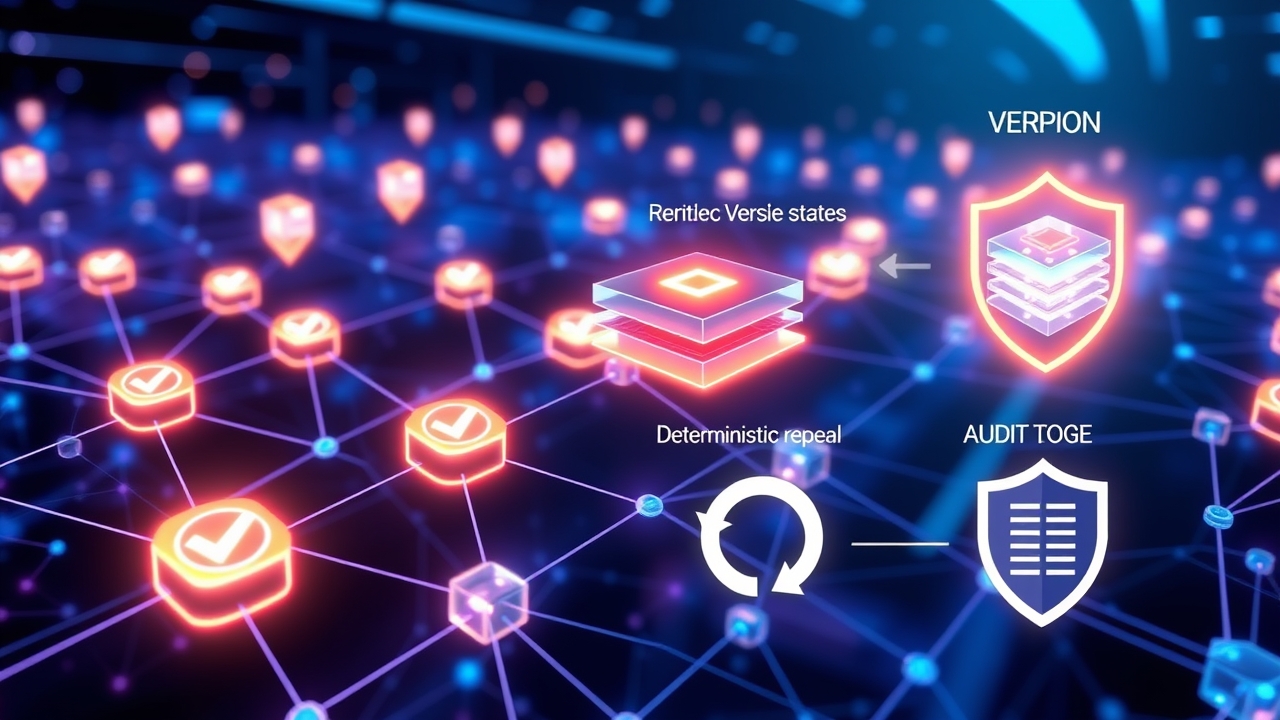
- Deterministic Replay: By capturing inputs, outputs, and internal states at each step, workflows can be replayed identically, ensuring reproducibility. This is essential for debugging, testing, and verifying AI decisions across different environments or after system upgrades.
- State Versioning: Workflows are stored as immutable versions, enabling rollbacks to previous states when anomalies or errors are detected. This is akin to version control in software development but applied to AI-driven processes.
- Cost Attribution and Optimization: Persistence layers track resource consumption (e.g., API calls, compute time) per workflow step, providing granular insights for cost allocation and optimization. This transparency helps organizations maximize efficiency and reduce waste in large-scale AI deployments.
- Compliance and Auditing: Logs and snapshots of workflow states serve as immutable records for regulatory compliance, such as GDPR, HIPAA, or industry-specific standards. Auditors can trace every decision made by an AI agent, ensuring accountability and reducing legal risks.
How Checkpoint-Resume Architectures Prevent Workflow Failures
Checkpoint-resume architectures are the cornerstone of resilient AI workflows. These systems work by inserting checkpoints at critical junctures in the workflow—such as after data processing, tool execution, or decision-making steps. When an agent encounters an error (e.g., API rate limits, server downtime, or unexpected inputs), it can restart from the last checkpoint instead of beginning from scratch. This not only saves time but also prevents cascading failures that could corrupt downstream processes. For example, in a customer support AI agent handling complex queries, a checkpoint after each tool invocation ensures that partial progress (e.g., retrieved data or generated responses) is preserved. Modern frameworks like LangGraph 2.0 simplify checkpointing by offering built-in persistence hooks, allowing developers to define custom save points without reinventing the wheel.
- Automatic State Capture: Frameworks like LangGraph 2.0 and Anthropic’s Managed Agents Memory automatically capture workflow states at predefined intervals or events, reducing manual overhead.
- Manual Override: Developers can force checkpoints at strategic points in the workflow to ensure critical steps are preserved, such as before invoking a third-party API or writing to a database.
- State Recovery: If a failure occurs, the agent reloads the last checkpoint, validates the state, and resumes execution—often without human intervention. This is particularly valuable in high-stakes environments like healthcare or finance, where downtime is costly.
- Integration with External Systems: Checkpointing can be extended to external systems, such as databases or cloud storage, to ensure that persistent state aligns with business logic and compliance requirements.
Deterministic Replay: Ensuring Reproducibility in AI Workflows
Deterministic replay is the process of recreating a workflow execution exactly as it happened, using captured inputs, outputs, and internal states. This capability is vital for validating AI decisions, debugging complex workflows, and ensuring consistency across different deployments. For instance, if an AI agent makes a critical error in production, replaying the workflow in a controlled environment can help identify the root cause without disrupting live systems. Tools like LangGraph 2.0 and Anthropic’s Managed Agents Memory support deterministic replay by storing detailed logs of every action, including random seeds, tool calls, and intermediate results. This level of granularity allows developers to reproduce failures in staging environments, test fixes, and deploy them with confidence.
- Replaying for Debugging: Developers can replay a failed workflow step-by-step to pinpoint where an error occurred, such as a misconfigured API call or invalid data transformation.
- Testing Across Environments: Replay enables consistent testing of workflows across different environments (e.g., development, staging, production), ensuring that results are reproducible regardless of infrastructure changes.
- Regulatory Compliance: For industries like finance or healthcare, replay logs serve as evidence that AI systems operate as intended, meeting regulatory requirements for transparency and accountability.
- Performance Optimization: By replaying workflows, teams can identify bottlenecks or inefficiencies, such as redundant API calls or unnecessary computations, and optimize performance accordingly.
State Versioning: The Power of Immutable Workflow History
State versioning treats workflow executions as immutable artifacts, similar to how Git tracks changes in code. Each version of a workflow represents a snapshot of its state at a specific point in time, including inputs, outputs, and metadata. This enables organizations to roll back to a previous state if a new version introduces bugs or fails to meet performance expectations. For example, if an AI agent’s workflow begins generating incorrect responses after an update, versioning allows the team to revert to the last known good state without losing progress. Frameworks like LangGraph 2.0 and Anthropic’s Managed Agents Memory simplify versioning by automatically generating unique identifiers for each workflow run and storing them in a versioned database or object storage.
- Rollback Mechanisms: Versioning systems provide APIs or CLI tools to revert to a specific workflow version, ensuring that critical processes can be restored quickly in case of failures.
- A/B Testing: Organizations can run parallel versions of a workflow to compare performance, accuracy, or cost, leveraging versioning to isolate and analyze differences.
- Audit Trails: Versioned workflows create an immutable audit trail, documenting every change made to a system over time. This is invaluable for compliance audits and post-mortem analyses of incidents.
- Collaboration and Sharing: Teams can share specific versions of workflows for review, testing, or deployment, ensuring that everyone works with the same baseline and reducing miscommunication.
Cost Attribution and Optimization in Persistent AI Workflows
One often-overlooked benefit of workflow persistence is the ability to track and optimize costs associated with AI agent operations. By capturing detailed metrics at each step of a workflow—such as API call costs, compute time, and storage usage—organizations can identify inefficiencies and allocate expenses accurately. For example, a customer service AI agent might make hundreds of API calls per session, each incurring costs. Persistence layers can log these calls, enabling teams to analyze which interactions are most expensive and optimize them by adjusting tool configurations or reducing unnecessary steps. Additionally, cost attribution helps organizations budget for AI deployments more effectively, ensuring that spending aligns with business value.
- Granular Cost Tracking: Persistence systems record costs per workflow step, tool invocation, or even individual API calls, providing a detailed breakdown of resource consumption.
- Budget Alerts: Organizations can set thresholds for workflow costs and receive alerts when spending exceeds predefined limits, preventing budget overruns.
- Resource Optimization: By analyzing cost logs, teams can identify redundant or inefficient steps in workflows, such as excessive data fetching or unnecessary model inferences, and streamline them.
- Chargeback and Showback: Cost attribution enables accurate chargeback to departments or projects using AI services, improving transparency and accountability in enterprise environments.
Compliance and Auditing: Meeting Regulatory Demands with Persistent Workflows
Regulatory compliance is a major driver for adopting workflow persistence in AI systems. Industries such as healthcare (HIPAA), finance (GDPR, CCPA), and government (FedRAMP) require organizations to demonstrate that their AI systems operate transparently, securely, and without bias. Persistent workflows provide the necessary infrastructure to meet these demands by generating immutable logs and snapshots that can be audited. For example, if a healthcare AI agent processes patient data, the workflow persistence layer can record every decision, data access, and transformation, ensuring that the system adheres to HIPAA’s strict privacy requirements. Similarly, in finance, persistent workflows can document the rationale behind lending decisions, providing evidence for regulatory bodies that the AI system is fair and compliant.
- Immutable Audit Logs: Every action taken by an AI agent is recorded in an immutable log, ensuring that compliance officers can review the system’s decisions without tampering risks.
- Bias Detection: Persistent workflows enable teams to analyze historical decisions for bias or discrimination, helping organizations mitigate legal and reputational risks.
- Data Privacy Compliance: By tracking data access and transformations, organizations can demonstrate adherence to privacy laws like GDPR, minimizing the risk of fines or legal action.
- Incident Response: In the event of a regulatory inquiry or security breach, persistent workflows provide the evidence needed to respond quickly and accurately, reducing downtime and reputational damage.
Real-World Case Studies: Lessons from Failed and Successful Implementations
Understanding the practical applications of workflow persistence is best achieved through real-world examples. Below are two case studies that highlight the challenges and benefits of implementing this infrastructure in enterprise AI systems. The first case study examines a failed deployment where the absence of persistence led to catastrophic workflow failures, while the second explores a successful implementation that transformed an organization’s AI operations. These stories underscore the importance of robust persistence strategies in building reliable, scalable, and compliant AI systems.
- Case Study 1: The E-commerce Chatbot Disaster – A major e-commerce platform deployed an AI chatbot to handle customer inquiries, but its ephemeral workflows lacked checkpointing. When the system crashed during a Black Friday sale, it lost all in-progress conversations, leading to customer frustration and lost revenue. The absence of deterministic replay made debugging nearly impossible, delaying recovery by days. This failure cost the company thousands in lost sales and damaged brand reputation.
- Case Study 2: The Healthcare Diagnostics Success – A healthcare provider implemented LangGraph 2.0 to persist workflows for an AI diagnostics agent. By leveraging checkpoint-resume and state versioning, the system could recover from crashes without losing patient data. Deterministic replay enabled the team to identify and fix a rare but critical bug in the diagnostic algorithm, ensuring patient safety. Additionally, the persistence layer provided immutable logs for HIPAA compliance, streamlining audits and reducing legal risks.
- Key Takeaways: The first case highlights the dangers of ignoring persistence, while the second demonstrates how robust infrastructure can turn potential disasters into success stories. Organizations must prioritize workflow persistence to build resilient, auditable, and high-performing AI systems.
Implementing Workflow Persistence: A Step-by-Step Guide
Adopting workflow persistence in AI systems requires careful planning and execution. Below is a step-by-step guide to help organizations implement this infrastructure effectively. From selecting the right framework to integrating persistence layers with existing systems, this guide covers the critical considerations and best practices for building reliable, scalable, and compliant AI workflows.
- Step 1: Assess Your Workflow Requirements – Identify the critical workflows that require persistence, such as those handling sensitive data, long-running tasks, or mission-critical processes. Prioritize workflows based on their impact on operations and compliance needs.
- Step 2: Choose the Right Persistence Framework – Evaluate frameworks like LangGraph 2.0, Anthropic’s Managed Agents Memory, or custom solutions based on features such as checkpointing, deterministic replay, and scalability. Consider integration capabilities with your existing tech stack.
- Step 3: Define Checkpointing Strategies – Decide where to place checkpoints in your workflows, balancing between granularity and performance overhead. Use automatic checkpointing for routine steps and manual checkpoints for critical actions.
- Step 4: Implement State Versioning – Set up a versioned storage system for workflow states, ensuring that each version is immutable and accessible. Use object storage (e.g., S3, GCS) or databases (e.g., PostgreSQL, MongoDB) with versioning support.
- Step 5: Enable Deterministic Replay – Configure your persistence layer to capture all necessary inputs, outputs, and internal states for replay. Test replay functionality in a staging environment to ensure accuracy and completeness.
- Step 6: Integrate Cost Attribution – Instrument your workflows to track resource consumption at each step, and configure alerts for cost thresholds. Use cost logs to optimize workflows and allocate expenses accurately.
- Step 7: Ensure Compliance and Auditing – Design your persistence layer to generate immutable logs and snapshots for regulatory compliance. Work with legal and compliance teams to define audit requirements and retention policies.
- Step 8: Test and Iterate – Deploy your persistence infrastructure in a controlled environment, and conduct thorough testing for failure recovery, replay accuracy, and performance impact. Iterate based on feedback and real-world usage.
Future Trends: What’s Next for Agentic Workflow Persistence?
As AI systems become more sophisticated, the demands on workflow persistence will evolve. Emerging trends such as federated learning, edge AI, and multi-agent collaboration will require even more robust and flexible persistence strategies. For example, federated learning workflows must persist local model updates while ensuring privacy and security, while edge AI systems need lightweight persistence mechanisms to operate in constrained environments. Additionally, the rise of autonomous agents that collaborate to solve complex tasks will necessitate persistence layers that can track inter-agent communications and state dependencies. By staying ahead of these trends, organizations can build future-proof AI infrastructures that adapt to changing demands and technological advancements.
- Federated Learning Persistence: Persistence layers must support decentralized workflows, where model updates are captured and aggregated without compromising data privacy.
- Edge AI Workflows: Lightweight, low-latency persistence mechanisms will be essential for edge devices, enabling reliable operation in IoT and embedded systems.
- Multi-Agent Collaboration: Persistence systems will need to track state dependencies between collaborating agents, ensuring that workflows remain consistent even when agents operate independently.
- Autonomous Agent Networks: As AI agents become more autonomous, persistence layers will need to handle dynamic workflows with evolving state dependencies, requiring advanced state management and conflict resolution.
- AI Governance and Ethics: Persistence will play a key role in ensuring AI systems operate ethically and transparently, with immutable logs serving as evidence for governance and compliance initiatives.