
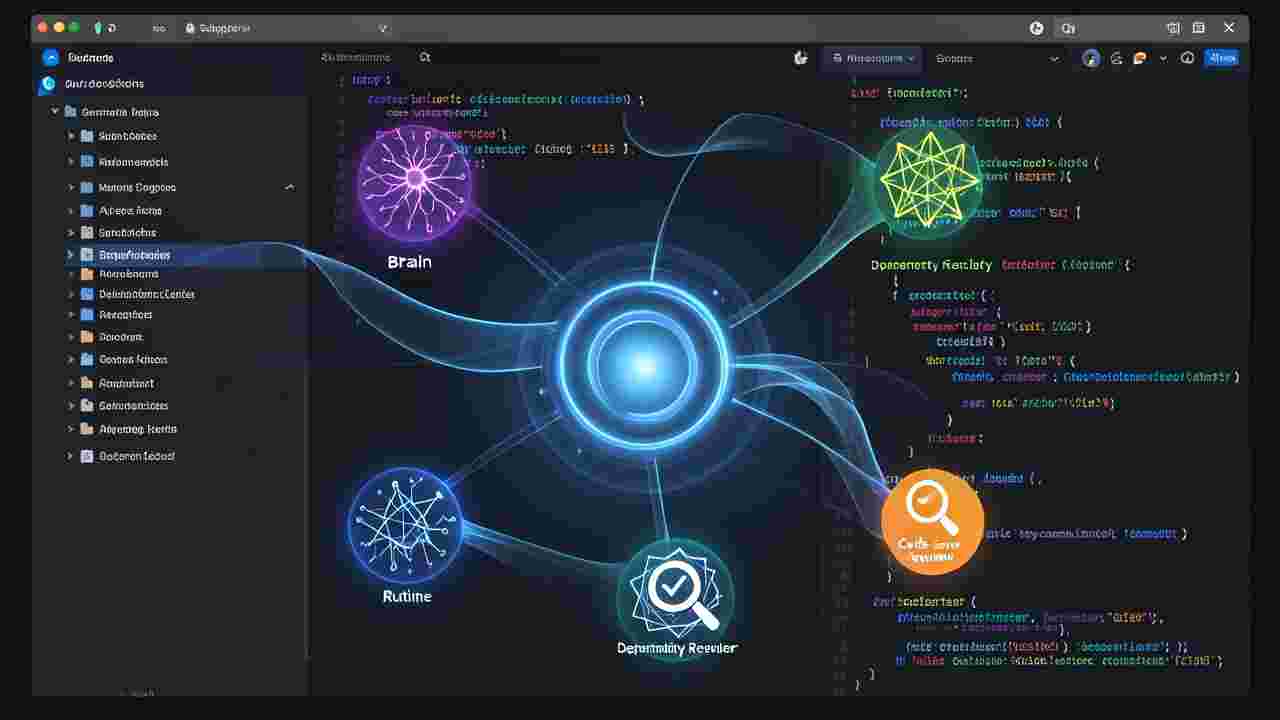
Understanding Context Overload in AI Coding Sessions
Long-running coding sessions with AI assistants often suffer from context overload, where the AI struggles to maintain focus on the core task while juggling multiple sub-tasks, dependencies, and project states. This leads to inefficiencies, increased token usage, and slower execution times, particularly in complex projects. The human developer ends up spending more time managing the AI’s context window than actually coding. Modular AI agents address this by introducing a hierarchical structure where a main agent handles runtime execution while subagents manage specialized tasks, keeping the primary context clean and focused.
The Core Problem: How AI Agents Lose Focus
Traditional AI coding assistants operate within a single, persistent context where all instructions, state, and intermediate results are stored. As sessions grow longer, this monolithic approach becomes unwieldy. The AI may lose track of the main objective while dealing with file operations, dependency checks, or debugging sub-tasks. This fragmentation forces the developer to manually re-explain context, reset the conversation, or break tasks into smaller chunks—each introducing latency and potential errors. Subagents solve this by offloading peripheral tasks to specialized agents, ensuring the main agent remains laser-focused on the primary development goal.
Introducing the ‘Main Session = Runtime’ Architecture
In this modular approach, the main session acts as a lightweight runtime environment that executes commands and manages the project’s operational state. It doesn’t retain deep contextual information about the project’s logic or goals. Instead, it delegates complex reasoning, planning, and state tracking to subagents. This separation ensures that the main session remains fast and responsive, while subagents handle the cognitive heavy lifting. Tools like Claude Code and Cursor can be configured to adopt this architecture, creating a more efficient and scalable workflow.
The Role of Subagents: ‘Subagent = Brain’ Philosophy
Subagents are specialized AI agents designed to perform specific cognitive functions. They act as the ‘brain’ for particular aspects of the project, such as dependency management, code review, testing, or documentation generation. Each subagent operates with its own optimized context window, allowing it to focus deeply on its assigned task without being distracted by unrelated information. By assigning clear roles to subagents—such as a ‘DependencyResolverAgent’ or a ‘CodeReviewAgent’—you ensure that the main session remains uncluttered and efficient. This modularity also allows for easier debugging and swapping of agents as project needs evolve.
Delegating Project State Tracking to Subagents
Project state tracking is one of the most resource-intensive tasks in long-running AI coding sessions. Traditional setups require the main agent to constantly update and reference the project’s state, leading to bloated context windows and slower responses. With subagents, state tracking becomes a specialized task. For example, a ‘StateTrackerAgent’ can maintain a lightweight database or file-based representation of the project’s state, updating it as changes occur. The main session can query this agent for state information on demand, reducing its own cognitive load. This approach is especially useful in large codebases where tracking changes across hundreds of files would otherwise overwhelm the AI.
Implementing Modular AI Agents in Claude Code
Claude Code, with its advanced tooling and API integrations, is well-suited for implementing modular AI agents. To set up this architecture, you can define custom tools or agents that interact with the main session. For instance, you might create a ‘TaskDelegatorAgent’ that receives high-level instructions from the main session and breaks them down into subtasks for specialized subagents. You can also leverage Claude’s context management features to isolate subagent interactions from the main session. By using prompts that clearly define each subagent’s role and scope, you ensure that they operate efficiently without stepping on each other’s toes. Example code snippets can be used to illustrate how to spawn subagents and delegate tasks programmatically.
Simplifying Workflows in Cursor IDE with Subagents
Cursor IDE, built on top of the Cursor editor, supports modular AI workflows through its plugin ecosystem and custom agent integrations. To implement subagents, you can use Cursor’s ‘Agents’ feature to define roles for each subagent, such as a ‘DocumentationAgent’ or a ‘TestGeneratorAgent’. These agents can be triggered based on specific file changes or commands, ensuring that they only engage when their expertise is required. Cursor’s real-time collaboration features also allow subagents to work alongside the main session, providing instant feedback and reducing the need for manual intervention. This setup is ideal for teams looking to scale their AI-assisted development processes.
Best Practices for Designing Subagents
- Define clear roles and responsibilities for each subagent to avoid overlap and confusion.
- Use lightweight communication protocols between the main session and subagents to minimize latency.
- Implement state tracking mechanisms that are easily queryable and updatable by subagents.
- Optimize subagent context windows to ensure they focus only on relevant information.
- Regularly audit subagent performance to identify bottlenecks and areas for improvement.
- Document each subagent’s purpose, inputs, and outputs for easier maintenance and debugging.
Real-World Use Cases for Modular AI Agents
Modular AI agents shine in scenarios where projects involve multiple moving parts. For example, in a web development project, you might have a ‘FrontendAgent’ responsible for UI updates, a ‘BackendAgent’ for API logic, and a ‘DevOpsAgent’ for deployment tasks. Each agent operates independently but reports back to the main session, which orchestrates the overall workflow. Another use case is in data engineering projects, where you might deploy a ‘DataIngestionAgent’ to handle API calls, a ‘TransformationAgent’ for cleaning and structuring data, and a ‘VisualizationAgent’ for generating reports. These examples demonstrate how modularity reduces complexity and improves efficiency in long-running sessions.
Overcoming Challenges in Subagent Implementation
While modular AI agents offer significant advantages, they also introduce challenges such as coordination overhead, subagent synchronization, and debugging complexity. To mitigate these, use a centralized orchestrator agent that oversees subagent interactions and ensures tasks are completed in the correct order. Implement logging and monitoring systems to track subagent activities and identify issues early. Additionally, design subagents with idempotent operations to handle retries gracefully, and use versioning for subagent definitions to ensure compatibility as the project evolves. Testing each subagent in isolation before integrating them into the main workflow can also help catch issues early.
Future of Modular AI Agents in Software Development
The adoption of modular AI agents is poised to grow as AI tools become more sophisticated and developers seek ways to scale their workflows. Future advancements may include self-optimizing subagents that adapt their behavior based on project feedback, or dynamic agent recruitment where subagents are spawned on-demand for specific tasks. As the ecosystem matures, we can expect better tooling and frameworks to simplify the creation and management of modular AI agents. For developers, mastering this architecture now will provide a competitive edge in building scalable, maintainable, and efficient AI-assisted development pipelines.
Step-by-Step Guide to Setting Up Subagents in Your Project
import subprocess

import json
# Define subagents
subagents = {
"DependencyResolverAgent": {
"role": "Resolves project dependencies using package managers",
"commands": ["pip", "npm", "yarn"],
"context_window": 512
},
"CodeReviewAgent": {
"role": "Performs static code analysis and suggests improvements",
"tools": ["pylint", "eslint", "flake8"],
"context_window": 1024
},
"DocumentationAgent": {
"role": "Generates and updates project documentation",
"format": ["markdown", "sphinx"],
"context_window": 256
}
}
# Main session orchestrator
def orchestrate_task(task):
main_session_response = subprocess.run(
["claude", "--task", task],
capture_output=True,
text=True
)
# Delegate to subagents based on task type
if "dependency" in task:
subprocess.run(["python", "dependency_resolver.py"])
elif "review" in task:
subprocess.run(["python", "code_review.py"])
elif "docs" in task:
subprocess.run(["python", "documentation_agent.py"])
# Example usage
orchestrate_task("Resolve dependencies and review code")
Keywords:
AI agents, modular architecture, subagents, context management, Claude Code, Cursor IDE, coding automation, AI-driven development, long-running sessions, project state tracking, AI workflow optimization, software engineering automation,





