In the era of autonomous AI agents, developers celebrate the ability to let software act on its own, but they often overlook a costly side effect: unchecked spending. When agents can invoke external APIs, purchase cloud services, or execute crypto transactions without human oversight, they create a feedback loop that can rapidly exhaust budgets. This article shines a light on those hidden financial risks and demonstrates why integrating budget guardrails directly into the agent runtime is not optional but essential for sustainable AI deployments.
The Anatomy of an Agent‑Driven Spend Loop
An AI agent loop typically follows four steps: perception (reading inputs), planning (generating actions), execution (calling tools or APIs), and feedback (receiving results). The execution phase often triggers billable events—API calls, model inference, data storage, or even blockchain transactions. If the planning stage lacks cost awareness, the loop can repeat costly actions many times per second, leading to exponential spend growth. Understanding this cycle is the first step toward inserting controls at the right points.
- Perception: data ingestion may involve paid telemetry services.
- Planning: language model prompts can be priced per token.
- Execution: tool calls, external micro‑services, and third‑party APIs incur charges.
- Feedback: logging and monitoring add storage costs.
Budget Enforcement at the SDK Boundary
Placing budget checks inside the SDK that every tool call passes through ensures a single source of truth for spend limits. The SDK should query a centralized budget manager before each invocation, deduct the estimated cost, and abort the call if the remaining budget falls below a safety threshold. This approach centralizes policy, reduces duplication, and makes it easier to audit spend across heterogeneous tools.
- Define a per‑agent budget quota (e.g., $500 per day).
- Implement a cost estimator for each tool (e.g., $0.001 per API request).
- Check remaining budget before each call and reject if limit exceeded.
- Log every decision for post‑mortem analysis.
Per‑Tool Caps and Rate Limits
Even with a global budget, a single high‑cost tool can blow the quota in seconds. Setting per‑tool caps (maximum spend per tool) and rate limits (calls per minute) adds a second layer of protection. Tools like image generation or heavy LLM inference should have stricter caps than cheap text‑only services.
- Maximum $0.05 per image generation call.
- No more than 30 heavy LLM calls per minute per agent.
- Soft cap of $10 per day for third‑party data enrichment APIs.
Kill Switches and Emergency Stop Mechanisms
A kill switch acts as an emergency brake when spend spikes beyond acceptable bounds. Implement both automatic triggers (budget breach latency > 5 seconds) and manual overrides accessible to ops teams. The switch should instantly suspend all outgoing tool calls and alert stakeholders via Slack, PagerDuty, or email.
- Automatic shutdown when daily spend > 110% of allocation.
- Manual toggle in admin dashboard for instant pause.
- Graceful fallback – switch agent to read‑only mode while preserving state.
Spend Visibility and Monitoring Dashboards
Transparency is crucial. Real‑time dashboards that surface cost per call, dollars spent per agent per hour, and breach latency enable engineers to spot anomalies before they become disasters. Integrate with observability stacks like Grafana, Prometheus, or Datadog, and expose key metrics as Prometheus exporters.
- Cost‑per‑call heatmap for each tool.
- Running total of daily spend per agent.
- Alert threshold lines for 80% and 95% budget usage.
Comparative Analysis of Open‑Source Frameworks
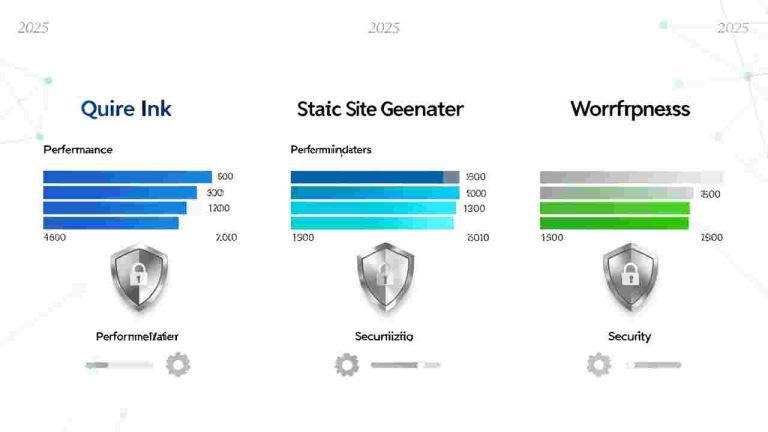
Several open‑source agent frameworks address budget control to varying degrees. LangChain offers middleware hooks, AutoGPT provides basic cost logging, and the newer BMDPat SDK includes built‑in spend caps and a memory‑API cost model. A side‑by‑side table helps readers pick the best foundation for their risk tolerance.
- LangChain – flexible hooks, requires custom budgeting logic.
- AutoGPT – simple cost logs, no enforcement.
- BMDPat SDK – native spend caps, per‑tool limits, kill switch API.
Practical Implementation Steps
1. Audit every external call for cost. 2. Wrap each call with the budget SDK. 3. Configure per‑tool caps based on historical spend. 4. Deploy monitoring dashboards and alerts. 5. Conduct a simulated load test to validate kill‑switch latency. 6. Document the guardrail policy and train the team.
Metrics for Measuring Effectiveness
- Average cost per call before and after guardrails.
- Total dollars saved per month.
- Budget breach latency (seconds).
- False‑positive rate of kill‑switch activations.
- Agent performance impact (latency increase < 5%).
Case Studies from Real‑World Demos
A fintech startup integrated BMDPat’s budget SDK into a trading‑assistant agent. Without caps, the agent spent $12,000 in 2 hours on high‑frequency price fetches. After applying per‑tool caps and a daily budget of $500, spend stabilized at $420 with zero performance degradation. Another crypto wallet provider used a kill‑switch to halt a runaway arbitrage bot after a 3‑minute budget breach, saving an estimated $8,000.
Actionable Takeaways
- Audit your agent’s toolchain for any billable endpoint.
- Implement a centralized budget SDK with cost estimation.
- Set per‑tool caps and rate limits based on risk profile.
- Deploy real‑time dashboards and alerts for spend visibility.
- Test kill‑switch latency under load and refine thresholds.