Category: Software Development
Tags:legacy code analysis, AI agents, Tree-sitter, code comprehension, undocumented systems, LLM hybrid architectures, software modernization, code documentation, debugging automation, technical debt reduction,
The Legacy Code Dilemma: Why Manual Analysis Fails You
Legacy systems are the backbone of many enterprises, but they come with a hidden cost: undocumented, convoluted, and often brittle code that frustrates even the most seasoned developers. Traditional manual analysis methods—like code walkthroughs, reverse engineering, and dependency mapping—are time-consuming, error-prone, and fail to scale with the complexity of modern systems. Developers spend weeks or even months trying to decipher cryptic logic, only to uncover new layers of technical debt. This inefficiency slows down innovation, hampers onboarding, and increases the risk of critical failures during updates or migrations. The result? Stalled projects, frustrated teams, and a backlog of unresolved issues that drain resources without delivering tangible value.
- Undocumented code lacks context, making it nearly impossible to understand business logic or dependencies without reverse-engineering every line.
- Manual analysis is subjective—different developers may interpret the same code differently, leading to inconsistent documentation and misaligned expectations.
- Time-to-market for new features or fixes is severely impacted, as teams spend more time deciphering existing code than writing new functionality.
- Technical debt accumulates unchecked, as developers hesitate to refactor or improve code due to fear of breaking undocumented dependencies.
- Onboarding new team members becomes a daunting task, requiring weeks of shadowing or mentorship before they can contribute meaningfully.
Enter AI-Driven Code Comprehension: A Game-Changer for Legacy Systems
AI-driven code comprehension tools like Understand Anything are rewriting the rules of legacy system analysis. By leveraging advanced natural language processing (NLP) and large language models (LLMs), these tools can parse, interpret, and explain code in human-readable terms—without requiring extensive manual effort. The key innovation? Combining Tree-sitter, a robust parsing tool, with LLMs to create hybrid architectures that decode undocumented systems with unprecedented accuracy and speed. Unlike traditional static analysis tools that rely solely on syntax rules, AI-driven systems infer intent, map business domains, and even generate interactive knowledge graphs that visualize relationships between functions, modules, and data flows. This not only accelerates analysis but also democratizes understanding, making legacy code accessible to non-experts.
- AI tools can analyze millions of lines of code in hours, identifying patterns, dependencies, and potential risks that manual review would miss.
- Natural language explanations generated by LLMs provide context around code logic, business rules, and architectural decisions, bridging the gap between developers and stakeholders.
- Automated knowledge graphs visualize code relationships, making it easier to spot bottlenecks, deprecated functions, or security vulnerabilities.
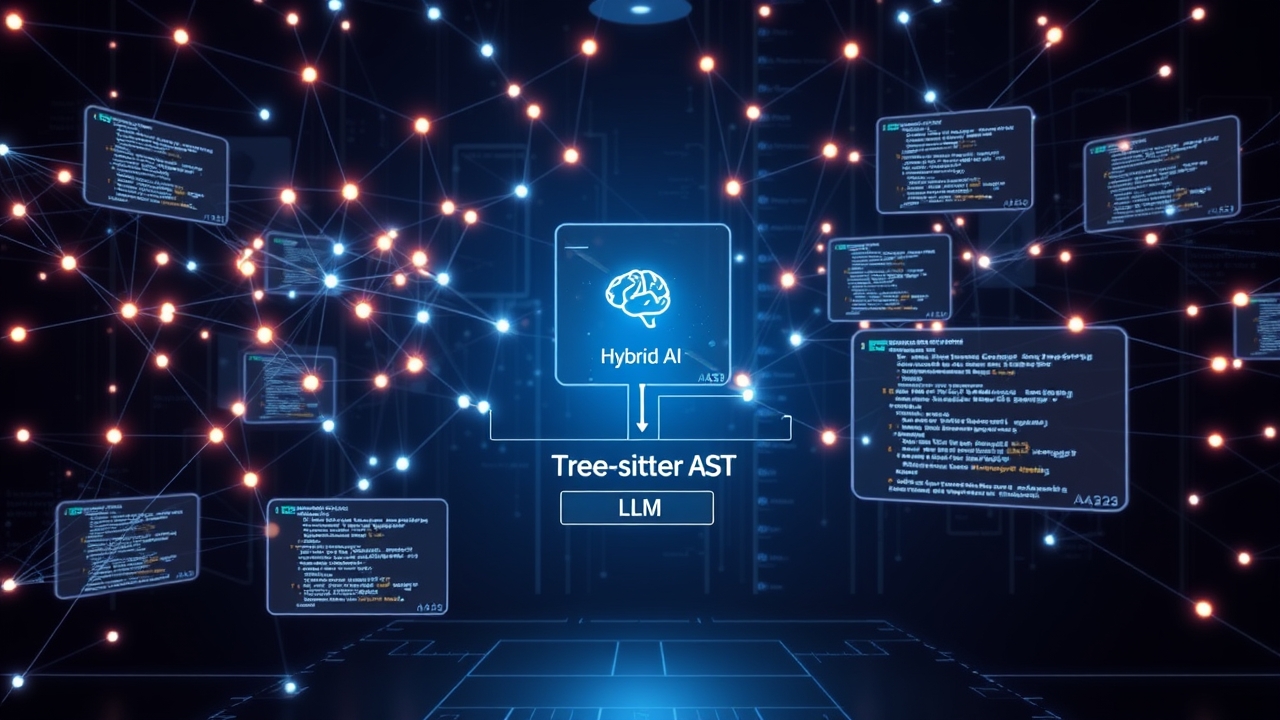
- Hybrid architectures (Tree-sitter + LLM) ensure high accuracy by cross-referencing syntactic structure with semantic understanding, reducing false positives in analysis.
- AI-driven tools reduce the cognitive load on developers, allowing them to focus on high-value tasks like refactoring or feature development rather than deciphering legacy code.
Tree-sitter + LLM: The Power Duo for Code Analysis
Tree-sitter is a parser generator tool that excels at efficiently parsing code into abstract syntax trees (ASTs), which represent the hierarchical structure of the code. When combined with LLMs, Tree-sitter’s structured output becomes a foundation for deeper analysis. The LLM ingests the AST, infers intent, and generates human-readable explanations, documentation, and even interactive diagrams. This synergy enables tools like Understand Anything to perform tasks that were previously impossible with traditional methods. For example, the system can automatically map a monolithic legacy application to its underlying business domains, identify dead code paths, or suggest refactoring strategies based on architectural patterns. The result is a comprehensive, real-time understanding of the codebase that evolves alongside the system itself.
- Tree-sitter parses code into a structured AST, enabling precise identification of syntax, variables, functions, and dependencies without relying on fragile regex patterns.
- LLMs analyze the AST to infer higher-level concepts like business logic, design patterns, or architectural styles, providing context beyond raw syntax.
- Hybrid architectures combine the strengths of both tools: Tree-sitter ensures syntactic accuracy, while LLMs handle semantic understanding and natural language generation.
- The system can generate interactive knowledge graphs, showing how modules interact, where data flows, and which functions are critical to business operations.
- Automated documentation is produced in real-time, keeping pace with code changes and ensuring that the latest insights are always available.
How AI Agents Transform Legacy Systems: Step-by-Step
Implementing AI-driven code comprehension isn’t just about flipping a switch—it’s a strategic process that involves tooling, integration, and cultural shifts. Here’s a step-by-step breakdown of how teams can leverage AI agents and Tree-sitter to decode legacy systems in weeks, not months. The process begins with tool selection and setup, followed by onboarding, analysis, and continuous improvement. Each phase is designed to minimize disruption while maximizing the value extracted from the codebase. The goal is to create a self-sustaining system where AI agents continuously monitor, analyze, and document the code, reducing the burden on human developers over time.
- **Step 1: Tool Selection and Setup** – Choose an AI-driven tool like Understand Anything that supports Tree-sitter and LLM integration. Configure the tool to parse the target codebase, ensuring compatibility with the programming languages and frameworks in use. This may involve installing Tree-sitter grammars or customizing the LLM’s prompt templates to align with your team’s needs.
- **Step 2: Onboarding and Customization** – Train the AI model on your specific codebase by feeding it examples of well-documented code, architectural diagrams, or past refactoring efforts. Customize the tool’s output to match your team’s documentation standards, such as generating Markdown files, interactive diagrams, or even API-style documentation for internal tools.
- **Step 3: Automated Code Analysis** – Run the AI agent on the legacy codebase to generate initial insights. The system will parse the code, identify dependencies, and produce natural language explanations for complex logic. This phase may also include generating a baseline knowledge graph that visualizes the system’s architecture.
- **Step 4: Knowledge Mapping and Validation** – Use the AI-generated insights to create interactive knowledge graphs that map business domains to technical components. Validate these maps with senior developers or architects to ensure accuracy, and refine the AI’s understanding through feedback loops.
- **Step 5: Continuous Monitoring and Improvement** – Deploy the AI agent as a continuous monitoring tool, automatically analyzing new code changes and updating documentation in real-time. This ensures that the knowledge graph stays current and that new team members can onboard quickly without relying on outdated or incomplete docs.
- **Step 6: Integration with Development Workflow** – Embed the AI tool into your existing development pipeline, such as CI/CD workflows or IDE plugins. This allows developers to receive instant feedback on code changes, such as warnings about deprecated functions or suggestions for refactoring, directly within their workflow.
Unlocking Business Value: Faster Debugging, Onboarding, and Architectural Reviews
The true value of AI-driven code comprehension lies in its ability to accelerate critical business and technical processes. Faster debugging means fewer production incidents and quicker resolutions to critical issues. Onboarding becomes a breeze as new developers can explore interactive knowledge graphs and AI-generated documentation to understand the system without weeks of mentorship. Architectural reviews are no longer guesswork—teams can visualize the entire system’s structure, identify inefficiencies, and plan modernization efforts with confidence. Moreover, AI tools can help quantify technical debt by highlighting areas of the codebase that are brittle, duplicated, or poorly documented. This data-driven approach enables leaders to prioritize modernization efforts based on tangible ROI, rather than gut feelings or anecdotal evidence. The result is a more agile, resilient, and scalable system that supports innovation without the baggage of legacy constraints.
- **Faster Debugging** – AI tools can pinpoint the root cause of bugs by analyzing code paths, dependencies, and historical changes, reducing mean time to resolution (MTTR) from days to hours.
- **Streamlined Onboarding** – Interactive knowledge graphs and AI-generated docs allow new hires to understand the codebase in days, not weeks, accelerating their time-to-productivity.
- **Data-Driven Architectural Reviews** – Visualizations of code relationships and dependencies enable architects to identify bottlenecks, security risks, and modernization opportunities with precision.
- **Technical Debt Quantification** – AI tools can generate reports on code quality, highlighting areas with high complexity, duplication, or lack of documentation, enabling targeted refactoring efforts.
- **Risk Mitigation** – By uncovering undocumented dependencies and deprecated functions, AI agents reduce the risk of introducing bugs during updates or migrations.
Real-World Success Stories: How Teams Are Winning with AI Agents
Across industries, teams are leveraging AI-driven code comprehension to tackle legacy systems that were once considered unmanageable. For example, a large financial services company used Understand Anything to decode a 20-year-old COBOL-based banking system, generating interactive documentation that reduced onboarding time by 70%. Another tech company modernized a monolithic Java application by using Tree-sitter and LLMs to identify and refactor dead code paths, cutting deployment times by 50%. In healthcare, a hospital system used AI tools to map its legacy patient management system to regulatory compliance requirements, ensuring audit readiness without manual effort. These success stories highlight a common theme: AI-driven tools don’t just speed up analysis—they unlock new possibilities for innovation, compliance, and scalability. The key takeaway? Legacy systems aren’t a dead end; they’re an opportunity to build a smarter, more resilient foundation for the future.
- A 20-year-old COBOL banking system was decoded in weeks using AI tools, reducing onboarding time by 70% and accelerating feature development.
- A monolithic Java application was modernized by identifying and removing 30% of dead code, cutting deployment times by 50% and improving performance.
- A healthcare patient management system was mapped to compliance requirements using AI-generated knowledge graphs, ensuring audit readiness without manual documentation efforts.
- A logistics company used AI tools to visualize supply chain logic in a legacy system, enabling faster troubleshooting and reducing system outages by 40%.
- An e-commerce platform leveraged AI-driven refactoring suggestions to reduce technical debt, improving code maintainability and reducing bug reports by 25%.
Getting Started: A Practical Roadmap for Your Team
Ready to transform your legacy code analysis with AI? Here’s a practical roadmap to get started, whether you’re a small startup or a large enterprise. The process begins with assessing your current codebase and tooling, followed by selecting the right AI-driven solution, and finally integrating it into your workflow. Key considerations include language support, scalability, and team buy-in. Start small—perhaps with a pilot project or a non-critical system—to validate the approach before scaling. The goal is to build momentum and demonstrate quick wins that justify further investment. Remember, the goal isn’t to replace developers but to augment their capabilities with AI-driven insights.
- **Assess Your Codebase** – Identify the languages, frameworks, and size of your legacy systems. Determine which parts are most critical or problematic to focus your initial AI analysis efforts.
- **Evaluate AI Tools** – Compare solutions like Understand Anything, GitHub Copilot Enterprise, or custom-built Tree-sitter + LLM architectures. Consider factors like language support, documentation quality, and integration capabilities.
- **Pilot Project** – Start with a small, non-critical system to test the AI tool’s accuracy and usability. Use this pilot to gather feedback from developers and refine your approach.
- **Train the AI Model** – Customize the AI tool to understand your team’s coding standards, business logic, and architectural patterns. This may involve providing examples of well-documented code or past refactoring efforts.
- **Integrate into Workflow** – Embed the AI tool into your development pipeline, such as via CI/CD, IDE plugins, or documentation generators. Ensure developers can access insights without disrupting their workflow.
- **Scale and Iterate** – Once the pilot proves successful, expand the AI-driven analysis to larger or more critical systems. Continuously gather feedback and refine the AI’s understanding to improve accuracy over time.
Overcoming Challenges: What to Watch Out For
While AI-driven code comprehension offers transformative benefits, it’s not without challenges. Teams may encounter hurdles like tooling limitations, integration complexities, or resistance to change. For instance, some AI tools may struggle with highly esoteric or proprietary languages, or they might generate inaccurate explanations if not properly trained. Integration with existing tools or workflows can also pose technical challenges, particularly in large enterprises with complex tech stacks. Resistance from developers or leadership may arise if the tool is perceived as a threat to jobs or if its benefits aren’t clearly communicated. To overcome these challenges, focus on education, transparency, and incremental adoption. Start with clear use cases that demonstrate tangible ROI, and involve developers in the selection and customization process to foster buy-in. Address concerns about accuracy by validating AI-generated insights with human experts and refining the model over time.
- **Tooling Limitations** – Some AI tools may not support niche or legacy languages. Work with vendors to extend language support or consider custom solutions like fine-tuning LLMs on your codebase.
- **Integration Complexities** – Embedding AI tools into existing workflows may require custom scripts or plugins. Plan for a phased rollout to minimize disruption.
- **Accuracy Concerns** – AI-generated explanations may occasionally be wrong. Validate critical insights with senior developers and use feedback loops to improve the model.
- **Resistance to Change** – Developers or leadership may be skeptical of AI tools. Demonstrate quick wins with pilot projects and highlight how the tool augments—not replaces—their work.
- **Data Privacy and Security** – Ensure the AI tool complies with your organization’s data policies, especially when analyzing proprietary or sensitive code.
The Future of Legacy Systems: AI-Driven Evolution
The integration of AI agents and Tree-sitter into legacy system analysis is just the beginning. As AI models become more sophisticated, we can expect tools that not only explain code but also autonomously refactor, optimize, and even generate new features based on legacy patterns. Imagine an AI agent that can automatically rewrite a monolithic application into microservices, or one that generates unit tests for undocumented functions. The possibilities are endless, and the trajectory is clear: AI-driven tools will redefine how we interact with legacy systems, turning them from liabilities into assets. For developers, this means less time spent on maintenance and more time on innovation. For businesses, it means reduced technical debt, faster time-to-market, and a competitive edge in an increasingly digital world. The future of legacy systems isn’t about replacing them—it’s about unlocking their hidden potential with the power of AI.
- AI models will soon autonomously refactor legacy code into modern architectures, reducing the need for manual intervention.
- Automated test generation will become a reality, with AI tools writing unit and integration tests for undocumented code paths.
- AI-driven systems will predict and prevent failures by analyzing code patterns and historical data, reducing downtime and improving reliability.
- Natural language interfaces will allow non-technical stakeholders to query and understand legacy systems without needing to code.
- The concept of “legacy” will evolve—codebases that were once considered unmaintainable will become dynamic, self-documenting assets.
#SoftwareEngineering #ArtificialIntelligence #LegacySystems #CodeAnalysis #AIAgents