Why ‘One-Click’ Subscriptions Aren’t as Simple as They Seem
The phrase ‘one-click subscription’ evokes images of effortless transactions, where users subscribe to premium features or content with a single tap. In reality, this oversimplified term masks a labyrinth of technical and operational challenges that developers must navigate. The promise of instant gratification for users often translates into a complex backend infrastructure for developers, where every step—from initial subscription to renewal—requires meticulous handling. Understanding this hidden complexity is crucial for no-code developers aiming to implement in-app purchases without diving deep into native APIs like StoreKit (iOS) or Play Billing (Android).
The Duality of APIs: StoreKit and Play Billing Explained
At the heart of in-app subscriptions lies the duality of APIs provided by Apple and Google. While these APIs are designed to simplify the process, they operate under fundamentally different paradigms. StoreKit, Apple’s solution, is tightly integrated with the iOS ecosystem, offering granular control over subscription states and transactions. Play Billing, on the other hand, is Google’s counterpart, designed to work seamlessly within the Android ecosystem but often requiring more manual intervention for advanced use cases. For no-code developers, this duality presents a significant hurdle—how do you reconcile two distinct systems into a unified, user-friendly experience without writing native code?
Server-Side Validation: The Silent Guardian of Subscription Integrity
One of the most critical yet often overlooked aspects of in-app subscriptions is server-side validation. While the client-side (app) handles the initial purchase flow, the server is responsible for verifying the transaction’s legitimacy, managing subscription states, and ensuring that users only access content they’ve paid for. This validation process involves communicating with Apple’s App Store Server and Google’s Play Developer API to confirm receipts and subscription statuses. For no-code developers, implementing this validation requires integrating third-party services or using automation tools that can handle the intricacies of receipt validation without manual coding.
- Verify receipt authenticity through Apple App Store Server API or Google Play Developer API.
- Manage subscription states (active, expired, canceled) to control user access dynamically.
- Handle edge cases like refunds, cancellations, and grace periods to avoid revenue leakage.
- Automate receipt validation to reduce manual errors and ensure real-time updates.
- Implement webhooks to receive real-time notifications for subscription changes and events.
State Machines: Orchestrating Subscription Lifecycles Without Code
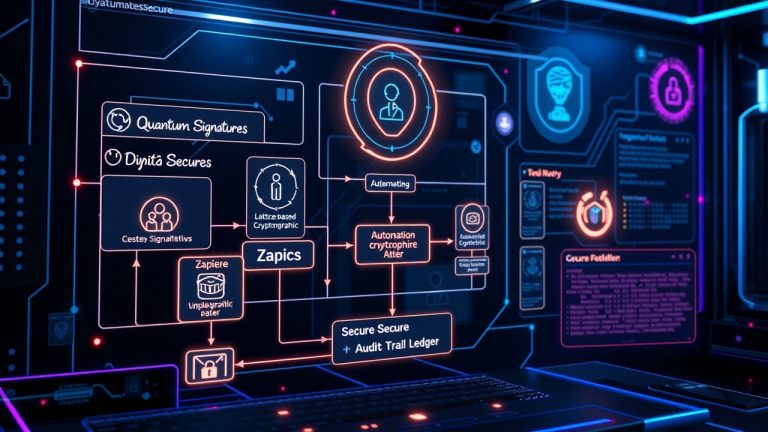
Subscription lifecycles are inherently complex, involving multiple states (e.g., active, expired, canceled, in-grace) and transitions (e.g., renewal, cancellation, downgrade). Managing these states manually or through static logic is error-prone and unscalable. Enter state machines—a powerful paradigm for modeling and automating subscription workflows. By defining clear states and transitions, no-code developers can create robust, automated systems that handle subscription changes seamlessly. Tools like Zapier, Make (formerly Integromat), or custom no-code platforms can be leveraged to build state machines that react to subscription events without writing a single line of code.
The Hidden Costs of In-App Subscriptions: More Than Just a 15-30% Cut
When developers hear ‘one-click subscriptions,’ they often focus on the convenience for users, forgetting the financial implications. Apple and Google take a 15-30% cut of subscription revenue, a fee that can significantly impact profitability, especially for high-volume apps. However, this is just the tip of the iceberg. Additional hidden costs include:
- Server costs for handling receipt validation, webhooks, and real-time updates.
- Customer support overhead for subscription-related inquiries and disputes.
- Fraud prevention and security measures to combat chargebacks and unauthorized access.
- Integration costs with third-party tools for analytics, billing, and user management.
- Opportunity cost of not exploring alternative monetization models like web-based checkouts.
In-App vs. Web Checkout: Trade-Offs and Considerations
Choosing between in-app and web-based checkouts is a strategic decision that impacts user experience, conversion rates, and revenue. In-app checkouts, powered by StoreKit or Play Billing, offer seamless integration with the app ecosystem but come with the aforementioned hidden costs and complexities. Web checkouts, on the other hand, provide more flexibility, lower fees (especially for subscription management), and the ability to bypass platform restrictions. However, they may introduce friction for users who prefer the convenience of in-app purchases. Below are the key trade-offs to consider:
- Conversion Rates: In-app checkouts typically see higher conversion rates due to lower friction.
- Revenue Share: Web checkouts often incur lower fees, increasing net revenue.
- User Trust: In-app checkouts are perceived as more secure and familiar by users.
- Platform Restrictions: In-app checkouts are subject to Apple/Google policies, while web checkouts offer more freedom.
- Analytics and Tracking: Web checkouts provide better cross-platform analytics and tracking capabilities.
No-Code Solutions for Simplifying In-App Subscriptions
For no-code developers, the challenge of implementing in-app subscriptions without writing native code might seem daunting, but it’s far from impossible. Several no-code and low-code platforms and tools can simplify the process:
- Bubble.io: Offers plugins and integrations for handling in-app purchases and subscriptions via APIs.
- Glide: Can be used to create subscription-based apps with minimal coding, leveraging Google Sheets for backend logic.
- Memberstack: Provides a no-code solution for subscription management, integrating with tools like Webflow and Zapier.
- Pory: Enables the creation of subscription-based apps with built-in payment handling and user management.
- Zapier/Make (Integromat): Automate receipt validation, state management, and user notifications using pre-built templates.
Best Practices for Implementing No-Code In-App Subscriptions
To ensure a smooth and successful implementation of in-app subscriptions without native code, follow these best practices:
- Choose the right no-code platform based on your app’s complexity and scalability needs.
- Implement robust server-side validation to prevent fraud and unauthorized access.
- Use state machines to automate subscription lifecycles and reduce manual errors.
- Regularly test subscription flows to catch issues early, especially during renewal and cancellation events.
- Monitor key metrics like conversion rates, churn, and revenue to optimize your subscription model.
- Stay updated with Apple and Google’s policy changes to avoid compliance issues.
- Consider hybrid models (e.g., in-app for initial purchase, web for renewals) to balance convenience and cost.
Real-World Examples: How No-Code Developers are Succeeding
Several no-code developers have successfully implemented in-app subscriptions without writing native code, proving that the process is both feasible and scalable. For instance:
- A SaaS app built on Bubble.io integrated with Stripe for subscription management, achieving a 25% increase in conversion rates by using web checkouts for renewals.
- A mobile game created with Glide used Google Sheets to track subscription states and Zapier to automate receipt validation, reducing support tickets by 40%.
- An e-learning platform on Memberstack leveraged webhooks to sync subscription data with a CRM, improving user retention by 15%.
The Future of No-Code In-App Subscriptions: What’s Next?
The no-code movement is rapidly evolving, and the future of in-app subscriptions is no exception. Emerging trends and technologies are poised to further simplify the process:
- AI-Powered Automation: Tools like AI-driven workflow builders will handle complex subscription logic with minimal user input.
- Blockchain for Transparency: Decentralized solutions may reduce reliance on Apple/Google’s fee structures while ensuring secure transactions.
- Unified APIs: Future APIs may abstract away the duality of StoreKit and Play Billing, offering a single interface for both platforms.
- Enhanced Analytics: Advanced analytics tools will provide deeper insights into subscription performance and user behavior.
Conclusion: Embracing the Complexity to Unlock Revenue
The allure of ‘one-click’ subscriptions is undeniable, but the reality is far more nuanced. For no-code developers, the key to success lies in understanding the hidden complexities—API duality, server-side validation, state machines, and hidden costs—and leveraging the right tools to simplify the process. By exploring alternatives like web checkouts, automating subscription workflows, and staying ahead of industry trends, you can build a robust, user-friendly subscription system that drives revenue without the need for native code. The future of in-app subscriptions is bright, and with the right approach, no-code developers can lead the charge.
Tags:in-app purchases, subscriptions, no-code development, app monetization, StoreKit, Play Billing, server-side validation, state machines, app store cuts, web checkout, mobile development, API integration, purchase automation,