Why Convert Python APIs into CLI Tools?
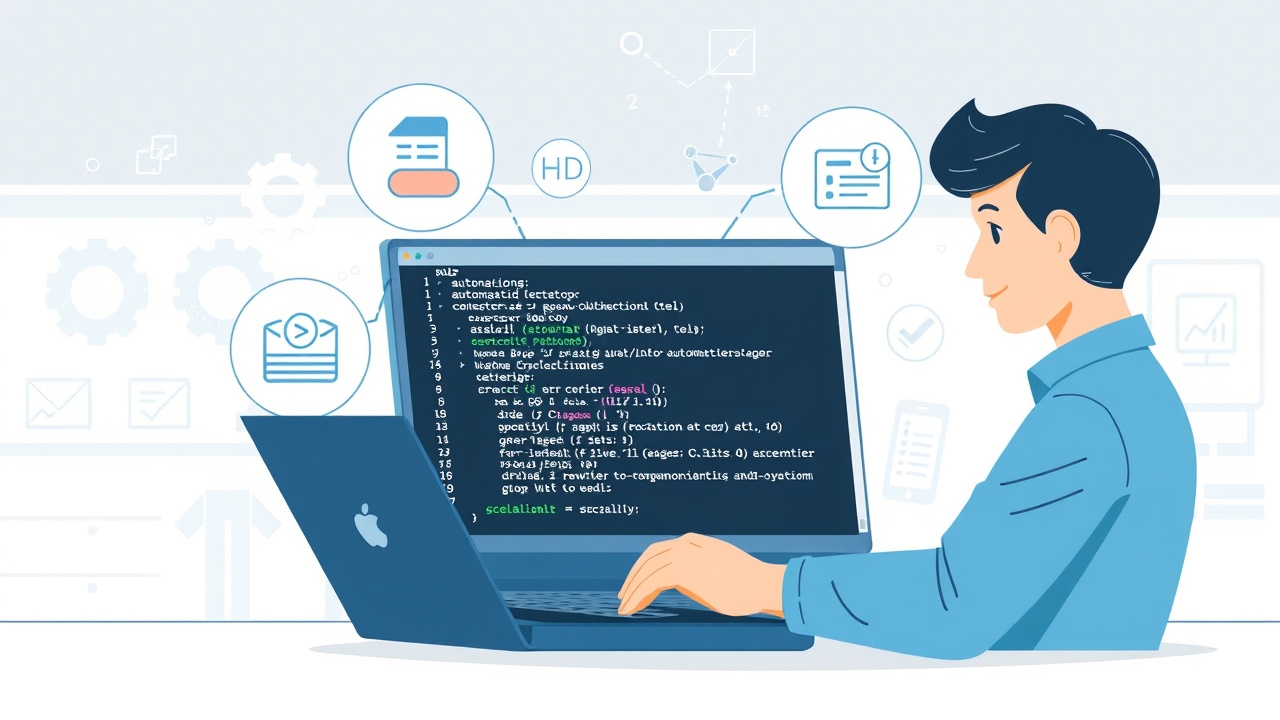
Python APIs are powerful for backend services, but they often lack user-friendly interfaces for direct interaction. Converting these APIs into CLI tools bridges this gap, enabling developers and end-users to execute complex operations with simple commands. CLI tools are lightweight, scriptable, and integrate seamlessly into automation pipelines, making them ideal for tasks like data processing, API interactions, and system management.
Introducing jsonargparse: The Ultimate Library for CLI Development
jsonargparse stands out as a robust library for building CLI tools in Python due to its seamless integration with type hints, support for configuration files (JSON/YAML), and automatic generation of documentation. Unlike traditional libraries like Click or Typer, jsonargparse excels in handling complex data structures and nested configurations, making it a top choice for scalable CLI applications.
Step-by-Step Guide to Building CLI Tools with jsonargparse
- Install jsonargparse using pip: `pip install jsonargparse[signatures]`
- Define your API functions with type hints for parameters and return values
- Convert API functions into CLI commands using the @cli decorator
- Use configuration files (JSON/YAML) to manage default values and settings
- Implement subcommands for modular and scalable CLI tools
- Generate self-documenting CLI tools with integrated help and type validation
Leveraging Type Hints for Robust CLI Development
Type hints in Python not only improve code readability but also enhance CLI tool development by enabling automatic validation of input parameters. jsonargparse leverages these type hints to generate help messages, validate user inputs, and ensure type consistency across commands. For example, specifying `str`, `int`, or `List[str]` as parameter types ensures that the CLI tool handles inputs correctly, reducing runtime errors.
Integrating Docstrings for Automatic Documentation
Docstrings are a powerful way to document your API functions, and jsonargparse automatically integrates them into the CLI tool’s help system. By writing clear and concise docstrings, you can provide users with context-rich documentation without additional effort. For instance, a well-documented function like `def fetch_data(url: str, timeout: int = 30) -> dict:` will display helpful descriptions in the CLI when users run `fetch_data –help`.
Managing Configurations with JSON/YAML Files
One of jsonargparse’s standout features is its support for configuration files. Instead of hardcoding default values or requiring users to input parameters manually, you can define configurations in JSON or YAML files. This approach simplifies command execution, enhances reusability, and allows for easy updates without modifying the code. For example, a config file `config.yaml` might include:
fetch_data:

  url: "https://api.example.com/data"

  timeout: 60

  retries: 3
jsonargparse vs. Alternatives: Typer, Click, and Fire
- Typer: A modern library by the creator of FastAPI, known for its simplicity and integration with async functions, but lacks native support for nested configurations.
- Click: A widely used library with extensive plugin support, but requires manual parsing of complex configurations.
- Fire: A Google-developed library for automatic CLI generation from Python objects, but offers limited customization and validation.
- jsonargparse: Combines the best of both worlds with native support for type hints, docstrings, and nested configurations, making it ideal for scalable CLI tools.
Building Self-Documenting CLI Tools
A self-documenting CLI tool provides users with built-in help messages, examples, and parameter descriptions, reducing the need for external documentation. jsonargparse automates this process by extracting docstrings and type hints to generate comprehensive help messages. For example, running a command like `mycli fetch_data –help` will display detailed information about the `fetch_data` subcommand, including parameter descriptions, default values, and usage examples.
Scaling CLI Tools for Production Environments
To ensure your CLI tools are production-ready, focus on modularity, error handling, and logging. jsonargparse supports subcommands, which allow you to break down complex CLI tools into manageable modules. Additionally, integrating logging frameworks like `logging` or `structlog` helps track command executions and debug issues efficiently. For instance, you can define a logger at the module level and use it across all subcommands to maintain consistency.
Real-World Examples: Converting an API Client to a CLI Tool
Let’s walk through a practical example of converting a Python API client for a weather service into a CLI tool using jsonargparse. Suppose your `weather_api.py` includes a function like this:
def get_weather(city: str, api_key: str, units: str = "metric") -> dict:

    """Fetch weather data for a given city.
Args:
city: Name of the city (e.g., "London").
api_key: API key for the weather service.
units: Units for temperature ("metric" or "imperial").
"""
base_url = "https://api.weather.com/v3/wx/forecast/daily"
params = {"location": city, "apiKey": api_key, "units": units}
response = requests.get(base_url, params=params)
return response.json()
You can convert this into a CLI tool by using jsonargparse as follows:
from jsonargparse import CLI
def get_weather(city: str, api_key: str, units: str = "metric") -> dict:
"""Fetch weather data for a given city.
Args:
city: Name of the city (e.g., "London").
api_key: API key for the weather service.
units: Units for temperature ("metric" or "imperial").
"""
base_url = "https://api.weather.com/v3/wx/forecast/daily"
params = {"location": city, "apiKey": api_key, "units": units}
response = requests.get(base_url, params=params)
return response.json()
if __name__ == "__main__":
CLI(get_weather)
Now, users can interact with the weather API directly from the command line:
python weather_cli.py London YOUR_API_KEY --units metric
Advanced Features: Subcommands and Nested Configurations
For larger applications, jsonargparse supports subcommands and nested configurations to organize CLI tools into modular components. For example, you can define a CLI tool with multiple subcommands like `fetch`, `analyze`, and `report`. Each subcommand can have its own set of parameters and configurations, making the tool scalable and maintainable. Here’s an example of defining subcommands:
from jsonargparse import CLI
def fetch_data(source: str, config: dict) -> dict:
"""Fetch data from a specified source.
Args:
source: Data source (e.g., "api", "file").
config: Configuration for the data source.
"""
# Implementation here
return {}
def analyze_data(data: dict, method: str = "summary") -> dict:
"""Analyze the provided data.
Args:
data: Data to analyze.
method: Analysis method (e.g., "summary", "detailed").
"""
# Implementation here
return {}
if __name__ == "__main__":
CLI([fetch_data, analyze_data])
Best Practices for CLI Tool Development
- Use type hints and docstrings to ensure clarity and maintainability
- Leverage configuration files for default values and settings
- Implement subcommands to modularize large CLI tools
- Integrate logging and error handling for production readiness
- Test CLI tools thoroughly to ensure reliability and user-friendliness
- Document your CLI tool’s usage and examples for end-users
Troubleshooting Common Issues
- Type validation errors: Ensure your type hints are correct and cover all edge cases
- Configuration file parsing errors: Validate your JSON/YAML files for syntax errors
- Subcommand not recognized: Check if the subcommand is properly defined and imported
- Help messages not displaying: Verify that docstrings are correctly formatted and integrated
Future-Proofing Your CLI Tools
As your Python API evolves, so should your CLI tools. jsonargparse’s integration with type hints and configurations makes it easy to update your CLI tools without breaking existing functionality. Regularly review and refactor your CLI tools to incorporate new features, optimize performance, and enhance user experience. Additionally, consider integrating your CLI tools with CI/CD pipelines for automated testing and deployment.
Keywords:
Python CLI tools, jsonargparse, Python APIs, CLI development, Typer vs Click vs Fire, Python command-line interfaces, type hints in CLI, docstring integration for CLI, scalable CLI applications, Python automation, Python configurations, self-documenting CLI tools,